
Email Client Settings
Incoming Server

           Server Type: IMAP
                  Host: imap.netosoft.com
                  Port: 993
   Connection Security: SSL/TLS
 Authentication Method: Normal Password
             User Name: Email address
Outgoing Server

           Server Type: SMTP
                  Host: smtp.netosoft.com
                  Port: 587
   Connection Security: STARTTLS
 Authentication Method: Normal Password
             User Name: Email address
Change Email Password
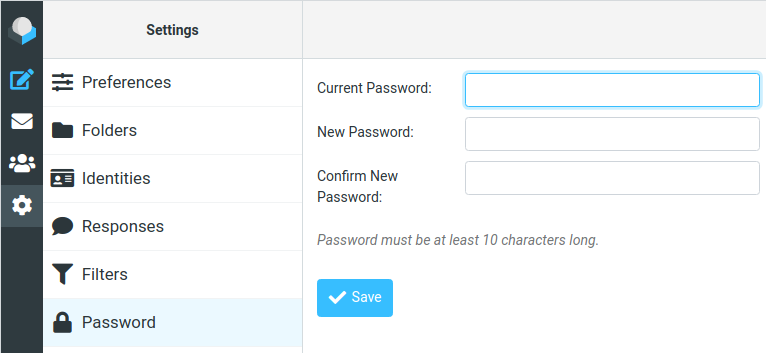
- Login to the webmail
- Click [ Gear ] icon
- Click [ Password ]
- Type in old and new passwords
- Click [ Save ]
Email Folder Sharing
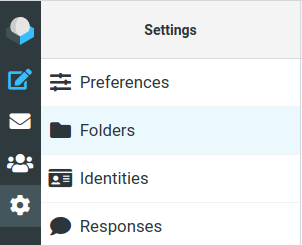
- Login to the webmail
- Click [ Gear ] icon
- Click [ Folders ]
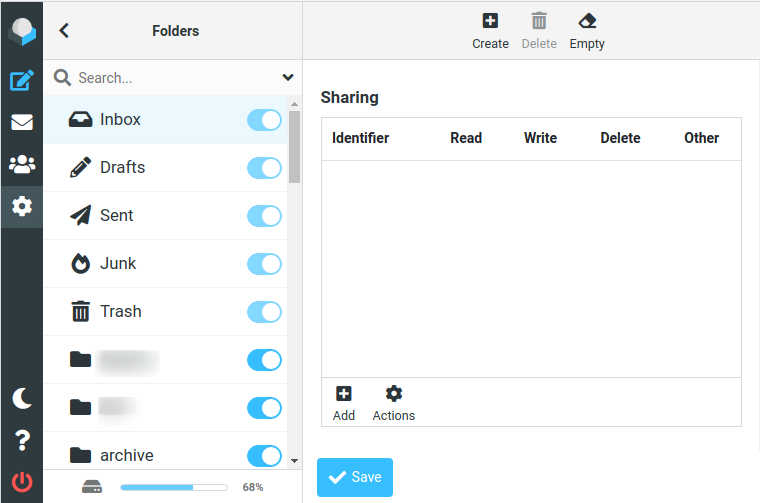
- Click the folder you want to share (for example, the Inbox)
- Click [ + ] icon
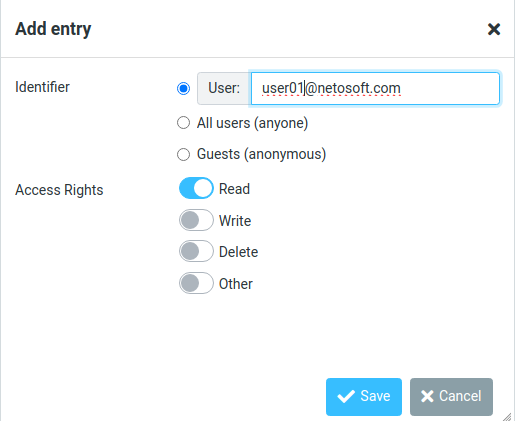
- Input the email address you want to share to
- Select the Access Rights and click [ Save ]
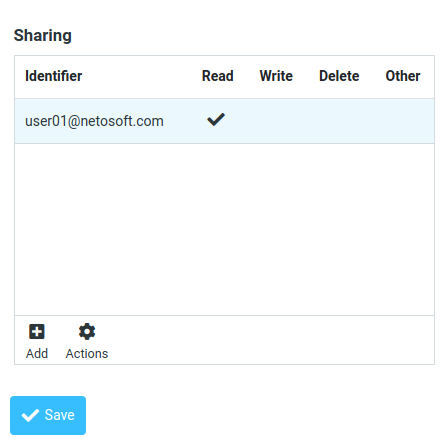
- After adding the user to the sharing list
- Click [ Save ]
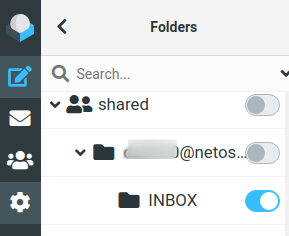
- To subscribe shared folders
- You will see them on the Folders list, all under “shared”
- You just need to enable the folder under the share user email
Email Filters
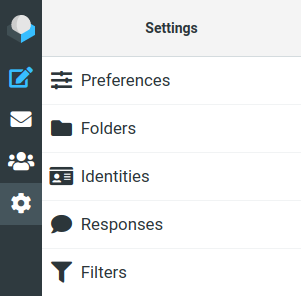
- Login to the webmail
- Click [ Gear ] icon
- Click [ Filters ]
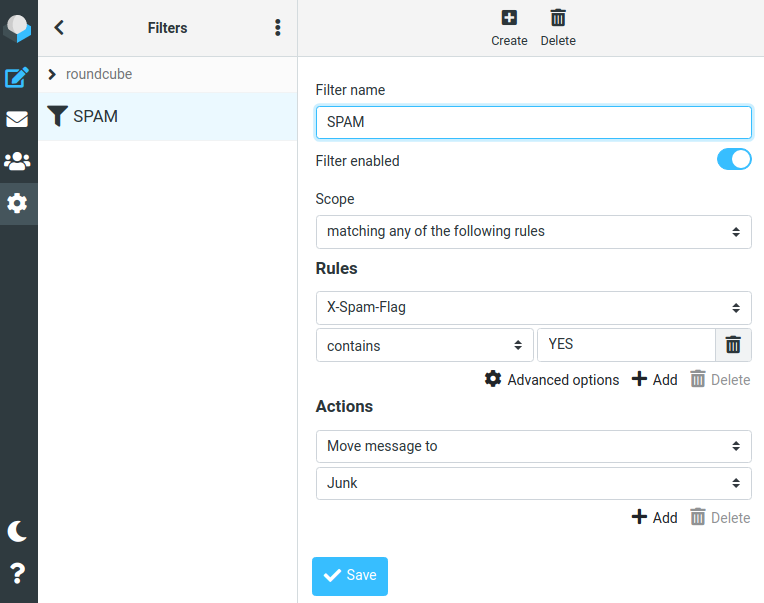
- Click [ + ] to create filter
- This is an example for creating a SPAM filter
- Click [ Save ]
Email Policy
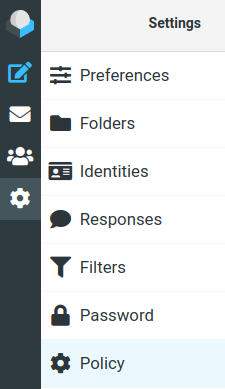
- Login to the webmail
- Click [ Gear ] icon
- Click [ Policy ]
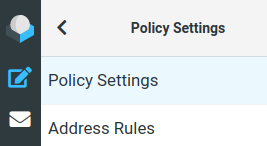
- Click [ Policy Settings ]
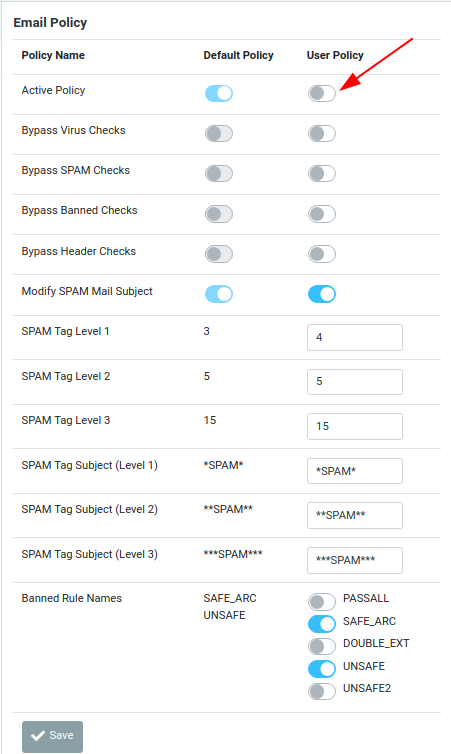
- Change the setting of [ User Policy ]
- Change the User Policy to Active Policy
- Click [ Save ] to save settings
SPAM score remarks

SPAM Tag Level 1
  If spam score is at or above Tag Level 1, spam-related header
  fields (X-Spam-Status, X-Spam-Level) are inserted for local
  recipients

SPAM Tag Level 2
  If spam score is at or above Tag Level 2, spam-related header
  fields (X-Spam-Status, X-Spam-Level, X-Spam-Flag and X-Spam-Report)
  are inserted for local recipients, and X-Spam-Flag and X-Spam-Status
  bear a YES

SPAM Tag Level 3 (the kill level)
  If spam score is at or above Tag Level 3 (the kill level), mail is
  blocked and rejected.
You can choose what kind of attachments are allowed to send to your mailbox

PASSALL    Accept all attachments

SAFE_ARC   Accept zipped attachments:
           7z zip rar arc arj zoo gz bz2 rpm cpio tar deb

DOUBLE_EXT Reject attachment with double extensions.
           ie. notes.txt.vbs

UNSAFE     Reject attachment with the following extensions:
           ade adp app bas bat chm cmd com cpl crt emf exe fxp grp hlp hta
           inf ini ins isp js jse lib lnk mda mdb mde mdt mdw mdz msc msi
           msp mst ocx ops pcd pif prg reg scr sct shb shs sys vb vbe vbs
           vxd wmf wsc wsf wsh

UNSAFE2    Reject attachment with the following extensions:
           asd asf asx url vcs wmd wmz
Address Rules
- Login to the webmail
- Click [ Gear ] icon
- Click [ Policy ]
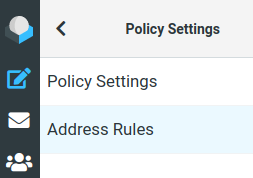
- Click [ Address Rules ]
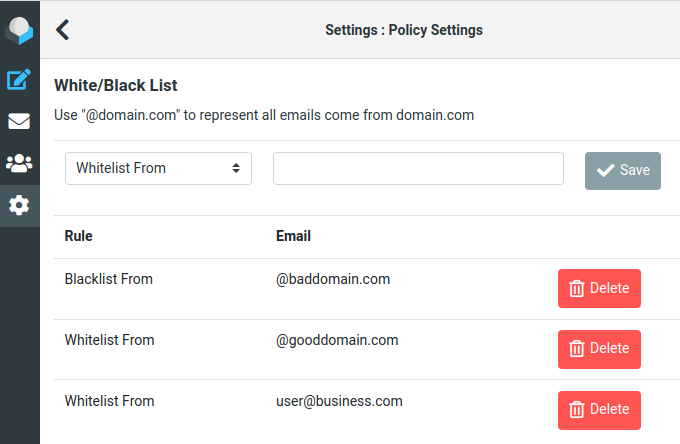
- To add an email address to the list:
- Select [ Whitelist From/Blacklist From ] from the pull-down list
- Type in the email address
- Click [ Save ]
- To remove an email address from the list:
- Click on the [ Delete ] button besides the email address
Address Rules Remarks

Blacklist: all emails send from that account will be marked as SPAM

Whitelist: all emails send from that account will not be marked as SPAM

Score: you can fine tune the SPAM score of each email
  From score +5.0 to score -5.0 or "Neutral" that means unchanged

To affect all emails sent from a domain, you can use "@domain.com" as the email address